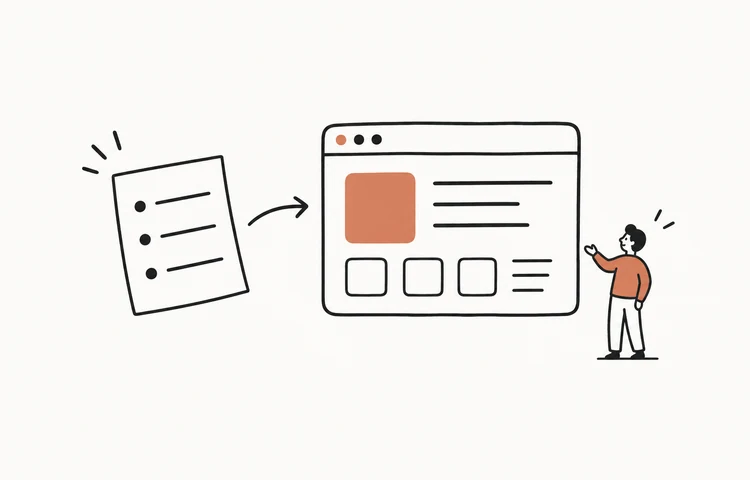
You can start building a web app for free with an AI coding tool, a small project folder, and a clear description of what the app should do. Have the AI ask you questions before it writes code. Save the answers, agree the technical approach and screen designs, then build and publish.
This guide follows that process from an empty folder to a public URL. The running example is a personal job-application tracker: add a role, update its status, and find the record when you return. It is a suggested project you can build, not a claim that we tested every tool below.
A practical $0 starting route: use Codex with ChatGPT Free or Gemini CLI's free allowance, build a small browser-only app, and publish its static files to a Cloudflare Pages address. Usage limits apply. Buying a domain, using paid AI access, or adding backend services can introduce costs.
Updated October 21, 2026. Tool access and publishing conditions were checked against the official documentation linked below.
1. Create a project folder on your desktop
In Finder on Mac or File Explorer on Windows, open your Desktop and create a folder called my-first-app. This is where your decisions and code will live. If you already have a project, use its folder instead.
You do not need to write documents yourself yet. By the end of the process, the folder should contain something like this:
my-first-app/
  PRD.md              What the app should do
  TECHNICAL.md        How it will work and run
  DESIGN.md           Approved style, screens and states
  design/             Reference images or exported Figma frames
  app/                The application code
  DEPLOYMENT.md       How to publish and update it
A .md file is a plain-text Markdown document. Open it in your editor to read or change it. Saving decisions here lets the AI reread them when you start a new chat or change tools.
2. Choose an AI tool and open the project
Pick one tool to begin. Local coding agents work inside a folder on your computer; browser builders keep a project online. You can follow the same planning process with either, but opening a website does not give it access to your desktop.
- Codex — local files, with a free starting option
Install a supported client using the official setup guide, sign in with ChatGPT, and select your project folder. Codex is currently included with ChatGPT Free, with usage limits; cloud-task access is separate. In the CLI, start
codexfrom the project directory.- Gemini CLI — another local option with free usage
Follow the installation guide, open a terminal in the project folder and run
gemini. Use the Google-account sign-in route described in its free-usage documentation. Account eligibility and request limits apply.- Lovable — a browser project with a Free plan
Create a project in Lovable and supply the same requirements and references there. Its Free plan has limited build credits. Keep copies of the agreed documents in your desktop folder; do not assume the browser project can read or update those local files.
- Claude Code — suitable if you already have paid access
Follow the official quickstart, open the project directory and run
claude. It needs a supported paid subscription, Console billing or another supported provider. It is not included simply because you have a free Claude account.
For the local route, ask the agent to confirm the folder before it creates anything:
Work inside my-first-app. Tell me the full path you are using and list the existing files. If the folder is empty, say so. Read any existing project documents before we plan. Do not write application code yet.Check that the path ends in the folder you chose. For Lovable, paste the relevant document contents or attach supported files to the project instead. If it cannot save a document as a project file, ask for the full Markdown and save that text locally.
3. Let AI interview you and write the PRD
A product requirements document, or PRD, says who the app is for, what they need to do, and what a working result looks like. You bring the problem; the AI helps uncover decisions you have not made.
I want a personal job-application tracker. I currently lose track of which companies I applied to and when I should follow up.

Before writing code, interview me about the users, main workflow, information to save, screens, and what the first version should leave out. Ask a few focused questions at a time. Explain unfamiliar choices in plain language.

Summarize my answers and ask me to resolve anything that changes the scope. Then create PRD.md in this project with the agreed requirements and concrete acceptance checks. Mark unresolved questions instead of inventing answers.
For this example, a useful conversation might settle these questions:
- Who uses it? Just me, on one browser for now. No team accounts.
- What do I save? Company, role, job link, application date, status and a short note.
- What is the main workflow? Add an application, change it from Applied to Interview, then filter the list to see interviews.
- What happens when I come back? My entries are still there in the same browser. I can export a backup and import it later.
- What can wait? Email reminders, automatic job scraping, shared accounts and cross-device sync.
The PRD should turn those answers into something testable. For example: “After adding Acme / Product Designer, mark it Interview, reload the page, and confirm the entry and status remain. With the Interview filter selected, that entry is visible.”
Read PRD.md. Correct it now if it promises features you did not ask for. If you need the same records on a phone and laptop, say that here; it changes the storage decision in the next step.
4. Discuss the technical plan and save it
Now ask how the agreed app should work. You do not need to pick a fashionable framework. Ask the AI to explain its recommendation in terms of your requirements and the cost of running it.
Read PRD.md and propose the simplest technical approach that meets it. Explain the frontend, where data is stored, how I run it locally, how I publish it, and which services would cost money.

For this personal tracker, consider a small HTML/CSS/JavaScript app with browser storage and JSON export/import. Explain its limits before we choose it. If a requirement needs a backend, explain why.

Discuss the choices with me, then save the agreed plan in TECHNICAL.md. Include the file structure, data fields, run instructions, deployment target and checks. Do not implement the app yet.
For the single-browser scope above, the plan can choose static HTML, CSS and JavaScript with localStorage, plus a downloadable JSON backup. It does not need a server or login. Browser storage belongs to that browser and site address: a different device or domain gets a separate store, and clearing site data removes it.
If you need shared records or automatic sync, choose a backend and access rules instead. Ask for the extra setup and cost before accepting that plan. Do not agree to a local-only implementation while expecting a shared app.
Finish this step with a file, not just a chat answer. Open TECHNICAL.md and check that storage, local startup and hosting decisions are written down.
5. Agree the UI before generating the app
Decide the visual direction and the sequence of screens before asking for the application code. Otherwise, the AI makes those decisions while implementing, and a later change to the layout can require rebuilding several screens.
Image to Code: use a sketch, a screenshot you have permission to use, or an image tool to explore the interface. Select a direction, save the reference under design/, and explain what matters about it: layout, typography, spacing, colors and information order. You do not need a paid image tool to draw a useful reference.
Figma to Code: create or choose the frames first, including a mobile version. Give the coding agent access through a supported Figma connection, or export the frames as images. A pasted link alone is not proof that the agent can read the design. Ask it to describe the frames before implementation.
Then make a storyboard: which screen or state comes next after each action? For the tracker, this is a useful starting sequence:
Your applications
No applications yet.
Add an application →New application
Company: Acme
Role: Product Designer
Status: Applied
Your applications
Acme · Product Designer
Status: Applied
Read PRD.md and TECHNICAL.md. Before implementing, help me agree the visual direction and screen sequence.

Use my attached image or accessible Figma frames as the reference. Show the empty list, add/edit form, saved list, no matching results, and invalid-input state. Include desktop and phone layouts. Explain what each button does and where it leads.

Wait for my design feedback. Save the approved decisions in DESIGN.md and reference the selected images in design/ or the exact Figma frames. Then use those references for the code.
Review the whole path: can you find Add, enter a role, understand a missing-field message, and return to the list? Agree those details alongside the appearance. For a deeper walkthrough of the visual tools, see our Codex frontend design guide.
6. Generate and test the project code
You now have requirements, a technical plan and approved screens. Ask the AI to use all three, rather than reconstructing the project from the last message.
Read PRD.md, TECHNICAL.md and DESIGN.md, including the selected design references. Implement the agreed app in app/.

Start with the complete add → list → edit status → filter flow, including the agreed persistence and backup behavior. Follow the selected UI. If the documents conflict, explain the conflict before choosing a different design or architecture.

Run the app and tell me the exact preview address. Check the acceptance criteria, fix failures, and report what you actually tested. Save the startup instructions so I can run it again.
Follow the startup instructions and open the local preview. If a runtime or dependency is missing, give the agent the exact error and ask for the setup steps for your operating system. A coding agent still needs the appropriate tools installed to run the project.
Try the core actions yourself:
- Add Acme / Product Designer. Confirm that it appears once in the list.
- Change its status to Interview, then select the Interview filter.
- Reload the same address. Confirm that the entry and status are still there.
- Try saving without a company name. Check that the message explains the problem and keeps the rest of your input.
- Export a backup, then import it into an empty test browser profile on the same app. Check that the entry and status are restored.
- Repeat Add and Edit on a phone-width screen. Make sure fields and buttons remain usable.
If something fails, describe the action and result: “I changed Acme to Interview, but after a reload it is Applied again. Fix persistence and repeat that check. Keep the approved layout.” Ask the AI to update the documents if you agree to change the requirements.
7. Deploy with a free address or your own domain
A local preview works on your computer. To let someone else open the app, publish it to a host. A domain is the address; buying one does not upload or run your code.
Publish the local project on Cloudflare Pages
For the static tracker in this guide, ask the AI to prepare the publishable folder with index.html, CSS, JavaScript and assets. If it used a build tool, ask it to run the production build and identify the output folder. Upload that output, not the folder containing your PRD, dependencies and source configuration.
- Sign in to Cloudflare and open Workers & Pages.
- Follow Create application → Get started → Drag and drop your files, enter a project name and upload the static output.
- Select Deploy site and open the resulting
your-project.pages.devaddress.
See the official Direct Upload instructions. This route fits a static app. A server, database or server-side framework needs the deployment approach chosen in your technical plan; dragging arbitrary source files into Pages will not configure those services.
Publish a Lovable project
Click Publish in the project editor, review the suggested lovable.app address and access settings, then confirm. Open the live link after deployment finishes. Later edits need to be published again to update the live version. Follow Lovable's publishing guide and check the hosting allowance for your project.
Add a custom domain when you want one
You can keep the provider address and skip this purchase. For your own domain, search in Cloudflare Registrar, review the registration and renewal price, and complete the purchase. Then add the domain in your hosting project's custom-domain settings and follow its DNS instructions. Wait for the domain and HTTPS certificate to become active. Lovable requires a paid plan to connect a custom domain.
Open the deployed address on your phone and in a fresh browser, and repeat the main task. For this local-storage example, the live URL starts with an empty store: records from localhost do not move automatically. Export/import your backup if you want them on the new address. A new custom domain also has a separate store.
Create DEPLOYMENT.md with the hosting provider, production URL, publishable folder or build command, and the steps to publish an update. Record any domain setup and costs I accepted. Do not include passwords or API keys.

Help me test the live URL against the PRD. Distinguish checks you ran from checks I still need to do.
You are finished with the first release when the live URL opens, the main task works there, and you know how to publish the next change.
8. Prefer to work through a conversation? Try SayCraft
SayCraft is another way to turn a discussion into a web app. You can explain the idea in a meeting, answer questions, and review the app as it develops in the preview. Bring the same clarity about the user, required behavior and visual direction.
We make SayCraft, so this is our own product suggestion. It is an alternative to managing the local workflow above. Its current entry offer is a three-day Pro trial requiring a payment method, followed by $4.90/month unless canceled. Check pricing and the available hosting/export options before starting.
See existing SayCraft examples or explore the meeting workflow. Whether you choose SayCraft or another tool, keep the requirements clear, decide the screens before implementation, and test the app at its final address.
Frequently asked questions
Which AI app builders can I start using for free?
Codex currently includes access with ChatGPT Free, Gemini CLI offers a free Google-account route, and Lovable has a Free plan with limited credits. Limits and eligibility apply. Claude Code requires a supported paid subscription or another billed access method; installing its client does not make model usage free.
Can Lovable read the project folder on my desktop?
A Lovable browser project does not automatically have access to your desktop folder. Supply your requirements and design references through its supported project inputs, and keep local copies of the agreed documents. Use a local coding agent such as Codex, Gemini CLI or Claude Code when you want the agent to read and write directly in your chosen folder.
Do I need to buy a domain before publishing?
No. A Cloudflare Pages project can use its pages.dev address, and a Lovable project can use its lovable.app address. A custom domain has separate registration and renewal costs. Connecting a custom domain in Lovable requires a paid plan.
Will this create an iPhone or Android app?
This guide creates a web app that opens in a browser, including a phone browser. Native packaging and App Store or Google Play submission are separate projects. Decide that requirement in the PRD before choosing the technical approach.
Will my saved data follow me to another device?
Not in the personal tracker example: its data stays in the browser and website address where it was entered. Export a backup before changing addresses or devices. If you need shared records or automatic sync, specify accounts, a database and access rules in the PRD and technical plan before implementation.