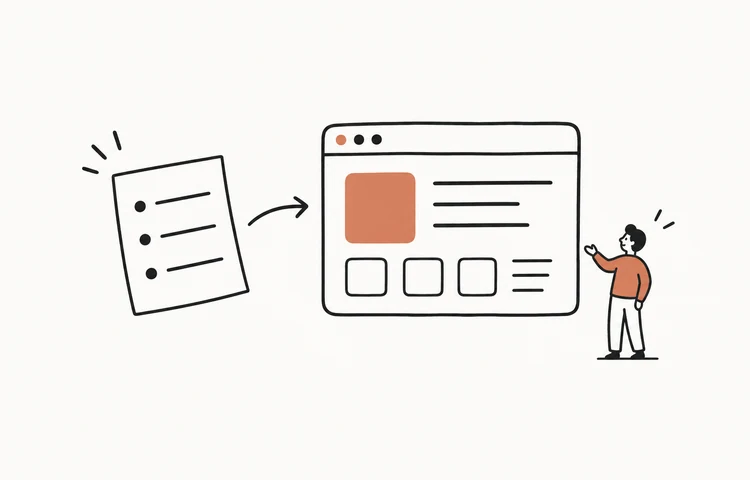
Can ChatGPT build a website? Yes: it can generate and edit the code, and Canvas can render supported React and HTML. OpenAI's current Canvas documentation describes code execution, web preview, direct editing, and version restoration. That makes it useful for prototyping. A permanent public site with a domain, backend, data, monitoring, and a clear owner is a separate production question.
What ChatGPT actually does when you ask it to “build a website”
Ask ChatGPT for a website and it writes the source code for one. It's genuinely good at this: describe a landing page for a coffee shop and you'll get clean, semantic HTML, styled CSS, and working JavaScript, often in a single response. With Canvas, it can render that one page so you see it instead of just reading the code. For learning, prototyping a layout, or generating a snippet you'll drop into an existing project, that's real value.
The boundary is what the chosen workflow actually owns. A Canvas preview or shared artifact is not automatically a custom-domain production deployment. Check how the code is exported, where the public site runs, who controls its data and secrets, and how updates are deployed.
Can ChatGPT build a web app, not just a page?
ChatGPT can generate a frontend, backend, and database code, and connected coding tools may be able to run commands or act in an approved environment. The larger gap is verification: generated code does not prove authentication, authorization, data isolation, migrations, backups, observability, or production readiness.
The real question hiding inside “can ChatGPT build a website”
Most people typing that search don't actually want code — they want a finished site. They're hoping the answer is “yes, describe it and it's done.” The correct answer is therefore “yes, for a prototype or code artifact; verify the publishing and production boundary separately.” Dedicated builders package those steps differently. (Wondering about the other big assistant? See Can Gemini Build a Website?)
ChatGPT vs a dedicated builder, side by side
| ChatGPT | SayCraft | |
|---|---|---|
| Primary workflow | General AI workspace for writing, analysis, and coding | Conversation-to-preview website builder |
| Web preview | React/HTML rendering in Canvas | Shared preview that updates during the meeting |
| Permanent deployment | Verify separately for the chosen workflow | Pro adds the permanent deploy link |
| Source | Supported code can be edited or exported | Max adds full source download |
| Best starting point | Drafting or coding with a general assistant | A person or team deciding the site by talking |
Disclosure: I build SayCraft, so weigh the right-hand column accordingly. The point of the table isn't that ChatGPT is bad — it's that a general chatbot and a purpose-built builder are aimed at different jobs. ChatGPT is the better tool when you want the code and intend to work with it. A builder is the better tool when you want the site.
If you'd rather just talk: build the site by describing it
The newer way to do this is vibe coding — you describe what you want and the AI writes the running code. SayCraft takes that one step further: instead of typing prompts, you open a meeting and talk. Alone or with your team, you say what the site should be, the AI builds it live during the conversation, and a shareable preview URL updates sentence by sentence. Pro includes live preview, replay, and permanent deploy links. Its three-day trial requires a payment method and renews at $4.90/month unless canceled. Max adds source download for $19.90/month without a trial. That's the difference between ChatGPT writing code and a builder handing you a product. (Here's how the meeting-to-product workflow works, and the AI website builder page if you want the short version.)
How to build a website with ChatGPT today (if you still want to)
ChatGPT is a perfectly good choice when you're comfortable finishing the last mile. The honest workflow looks like this:
- Ask for a single self-contained file first (“put the HTML, CSS, and JS in one index.html”) — it's the fastest thing to preview and host.
- Open it locally in a browser, or use Canvas, to see how it looks.
- Iterate by pasting back what's wrong (“the header overlaps on mobile”) and replacing the file with each new version.
- For a permanent public site, deploy the reviewed file through an appropriate hosting service and record who owns future updates.
- Buy and connect a domain if you want a real address instead of a generated subdomain.
It works. It's just more hands-on than the search query implies, and it gets slower the more complex the site becomes — every change is another round of copy, paste, and re-deploy.
The bottom line
ChatGPT can generate and preview a website, but that does not make every artifact a permanent production site. Decide what you need — a draft, a shareable prototype, a permanent deploy, source ownership, or a maintained application — and verify that exact handoff. If you want the product discussion itself to drive a shared preview, use a builder shaped like a meeting.
Frequently asked questions
Can ChatGPT build a website?
Yes. ChatGPT can generate and edit website code, and OpenAI documents React and HTML rendering in Canvas. That is enough for a prototype or supported preview. A permanent public deployment, custom domain, backend, data, authentication, analytics, and ongoing operation are separate capabilities that must be checked for the workflow you choose.
Can ChatGPT host or deploy a website?
Do not treat a ChatGPT subscription or a shared Canvas as a general-purpose production hosting plan. Check the current product documentation for the artifact you can share or export, then use an appropriate deployment service when you need a permanent public site, custom domain, backend, monitoring, and production ownership.
Is there a ChatGPT website builder?
Canvas provides a coding workspace with React and HTML rendering, so ChatGPT can support website prototyping. A dedicated website builder usually adds a more explicit path for preview, publishing, domains, forms, and continued operation. SayCraft is meeting-first: Free provides the live meeting preview and replay, Pro adds a permanent deploy link, and Max adds source download.
Can ChatGPT build a full web app with a database?
ChatGPT can generate frontend, backend, and database code, and connected development tools may be able to take actions. A generated prototype does not prove that authentication, authorization, migrations, backups, secrets, reliability, or production deployment are complete. Review the actual environment and implementation before using real data.
What is the easiest way to build a website without coding?
Use a workflow that shows a working preview while you describe the site, then verify how publishing, domains, source access, and data work before committing. In SayCraft the preview updates during the meeting; Free keeps the replay, Pro adds the permanent deploy link, and Max adds source download.