I spent years as a backend engineer. Java, Spring Boot, the occasional 2 a.m. database index that quietly saved a quarter. Then I decided to go full-stack and build my own thing, and I assumed the hard part would be CSS.
It wasn't. The hard part was product design.
I had a hundred ideas and couldn't draw a single one. I tried the AI design tools. I tried the “just describe it” generators. They all shared one feature: I had to keep typing. Type, wait, read, retype. My typing speed could not keep up with my brain. I didn't want a tool that let me write. I wanted one that let me talk.
That itch is why SayCraft exists. And it's the same itch hiding behind a phrase you've seen everywhere this year: vibe coding.
What is vibe coding?
Vibe coding is building software by describing what you want in plain language and letting AI write the code, instead of writing it yourself. The term was coined by Andrej Karpathy in February 2025 — the idea that you “give in to the vibes,” talk to the model, and accept the code it produces. You steer; the AI types. (See Wikipedia: Vibe coding.)
What does vibe coding mean?
In plain English, vibe coding means you tell an AI what you want your software to do, in ordinary language, and the AI writes the code. That's the sense Andrej Karpathy gave the phrase when he coined it in February 2025: instead of reviewing every line, you describe the goal, look at what comes back, and steer with more plain-language instructions. Vibe coding is not no-code. No-code tools make you assemble an app yourself out of visual blocks; vibe coding produces real source code you can read, export, and modify. It's also not autocomplete: tools that suggest the next line while you type still assume you're the one writing the code. A concrete example: you say “build me a habit tracker with a weekly streak view,” the AI generates a working app, you try it, then say “make the streaks green and add a reminder,” and it revises the code. You direct; the AI implements.
How to vibe code an app: a beginner tutorial
- Name one user and one job. “A PM needs to turn interview notes into a prioritized list” is better than “build a productivity platform.”
- Ask for the smallest complete flow. Start with one input, one useful transformation, and one output screen.
- Test the live preview yourself. Click every action and describe the first mismatch in plain language.
- Iterate one decision at a time. Fix the workflow before spending prompts on polish.
- Prepare for production deliberately. Add real data, authentication, accessibility, tests, observability, and a security review only after the core flow is stable.
The beginner mistake is asking for the whole company in one prompt. Vibe coding works best as a tight loop: describe, preview, test, correct. For a field-by-field look at which tools support that loop, use the AI app builder comparison dataset.
Who invented vibe coding?
Andrej Karpathy — OpenAI co-founder and former Tesla AI director — coined the term in a February 2025 post describing “a new kind of coding I call ‘vibe coding’, where you fully give in to the vibes, embrace exponentials, and forget that the code even exists.” The phrase escaped the lab almost immediately: within a year it had gone from a half-joking tweet to a category of products — and Collins Dictionary named “vibe coding” its Word of the Year 2025.
Is vibe coding real programming?
Yes and no, and the honest split matters. The output is real programming: actual source code, runnable and deployable, indistinguishable in kind from what a developer ships. The activity is different — you're doing what a product owner or tech lead does (deciding, specifying, reviewing) while the AI does what the implementer does. Skeptics are right that vibe coding without any review can ship bugs you don't understand; that's why serious tools give you the source, and why bigger products still want tests and a human look before launch. But “not typing the code yourself” stopped being a useful definition of programming the day compilers replaced hand-written assembly. You direct; the machine implements. That's been the direction of travel for seventy years.
The promise is real: code stopped being the expensive part. The expensive part is the idea in your head that hasn't made it out of your mouth yet. But here's the thing most vibe coding tools still get wrong — they make you do the one thing that slows you down.
Why typing is the bottleneck
People speak around 150 words a minute and type around 40. So every time a tool hands you a prompt box, it's quietly throttling your brain to a third of its speed. We learned to talk before we learned anything else; the vast majority of the world's ~7,000 languages never developed a writing system at all. Speech is the native API for human ideas. Typing is a wrapper we bolted on a few thousand years ago.
Linus Torvalds had a line: “Talk is cheap. Show me the code.” That was the last era. In this one, code is cheap. Show me your talk.
So what does SayCraft actually do?
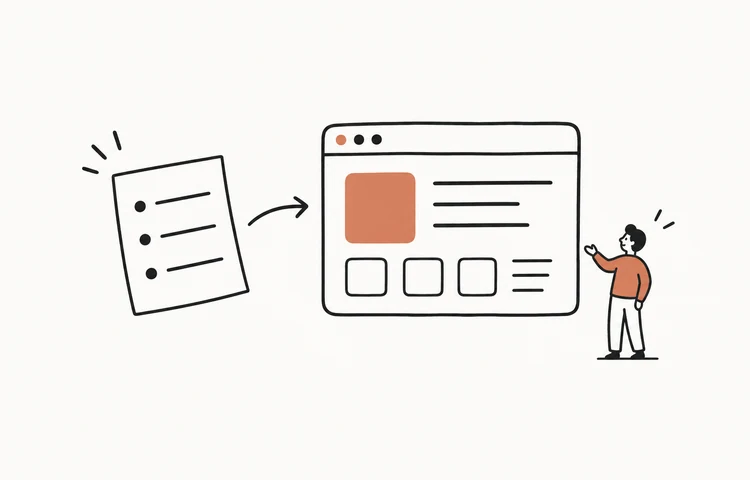
SayCraft is vibe coding you do by talking — with your team, in real time. You open a meeting and start talking. Alone, or with your designer, your PM, your boss, your cat (if it's articulate). The AI listens, builds the app live as you speak, and a shareable preview URL updates with every sentence. No prompt box. No PRD. No Figma tug-of-war.
You talk; it builds. Your first sentence becomes a working screen in seconds. Change your mind halfway through — so does the product. The whole flow is described on the Meeting to Product page if you want the mechanics.
Vibe coding for product managers and non-coders
For a product manager, the best use of vibe coding is not “replace the engineering team.” It is “make the decision visible now.” A PM can talk through a user flow, let the builder create a running prototype, and ask the designer, engineer, and stakeholder to react to the same screen. A non-coder can do the same without learning prompt syntax. The boundary is production responsibility: once the app stores private data, takes payments, or serves real users, generated code still needs engineering and security review.
Real example: watch the full Neon Streets build replay. A product discussion produced the working portfolio in about ten minutes across five build rounds; the replay shows the input, intermediate states, and final live result rather than a hand-picked screenshot alone.
How is SayCraft different from Lovable, Bolt, and Cursor?
Honest answer, no trash talk — these are good tools, they're just playing a different game:
- Lovable, Bolt.new, v0 are single-user, prompt-to-app builders. One person, one prompt box. Great for building from a written brief — but the “vibe” is still a typed monologue. (SayCraft vs Lovable, vs Bolt.new.)
- Cursor is an AI code editor for people who write code. Different sport entirely. (SayCraft vs Cursor.)
- SayCraft is a conversation. Multi-person, real-time, spoken. The whole room's back-and-forth becomes the build, and everyone watches the same live preview.
The difference in one line: they turn a prompt into a page. SayCraft turns a conversation into a product. For a tool-by-tool rundown (with free tiers compared), see the best vibe coding tools in 2026.
But is the output any good?
Fair question — most “AI page” output looks like a bootstrap template that gave up. SayCraft picks the palette, the layout, and the type scale for you. Say “internal dashboard” and it goes dark, dense, data-viz. Say “landing page for a consumer app” and it goes clean and modern. You never hand it hex codes. Honestly, its taste beats mine, and I'm only a little insulted.
Meeting over equals product shipped
Most tools stop at “here's a prototype.” Then you export, slice, hand it to a dev, and wait for sprint planning. SayCraft doesn't. When the meeting ends you walk away with a live URL, a full replay (scrub the timeline and watch the product grow sentence by sentence), the source code, and one-click deploy. From idea to live product: one meeting. That's not a slogan, it's the actual flow.
The part that still messes with me: the cost
I've run about fifty test meetings. Total spend on AI models and speech-to-text: roughly the price of two coffees. That's a few cents per app. A bottle of water's worth of credits builds three products. (Idea quality not included — garbage in, garbage out is a law even AI can't repeal.)
Talking is all you need
2017 gave us “Attention Is All You Need.” For the rest of us, in 2026: talking is all you need. If humans had SayCraft from the start, we might never have bothered inventing writing. I'm half-joking — but sit with it for a second.
Open a meeting. Say the first thing on your mind. Watch it become real. — just talk.
Frequently asked questions
What does vibe coding mean?
Vibe coding means building software by describing what you want in plain language and letting AI write the code. Andrej Karpathy coined the term in February 2025. It is not no-code, which has you assemble visual blocks yourself, and it is not autocomplete, which assumes you are still typing the code. You say what the app should do, the AI builds it, and you look at the result and steer with more instructions. The output is real, runnable source code.
Is vibe coding the same as no-code?
No. No-code means assembling an app from visual building blocks yourself — you still do the assembly. Vibe coding means you describe what you want in plain language and AI writes the actual code. With SayCraft you don't even type the description: you talk, and the AI builds a real, running app you can open and deploy.
Do I need to know how to code to vibe code with SayCraft?
No. SayCraft is driven entirely by conversation — you talk through what you want and the AI vibe-codes it live, with a shareable preview URL. There's no code to write and no prompt syntax to learn. You can still export the source code if you want to dig in later.
Can a whole team vibe code together?
Yes — that's the whole point of SayCraft. Multiple people talk in the same real-time meeting, everyone's input feeds the same build, and everyone reviews one shared live preview URL as the product takes shape. Most vibe coding tools are single-user and single-prompt; SayCraft is multi-person and real-time.
Is vibe coding only for prototypes, or can you ship real products?
You can ship real products. Vibe coding produces actual source code, not a throwaway mockup, so the output is deployable software you can host and keep iterating on. A quick prototype is easy; a polished production app still needs review, testing, and iteration like any code. With SayCraft a meeting ends with a working app, the source code, and one-click deploy — a real starting point you own, not a demo that evaporates.
How do you vibe code an app as a beginner?
Start with one user, one problem, and one core action. Ask the AI builder for the smallest working flow, open the preview, test it like a user, and give one correction at a time. Once the flow works, add data, authentication, edge cases, accessibility, tests, and a security review. Beginners get better results by narrowing the first build instead of prompting for an entire startup at once.
How can product managers use vibe coding?
A product manager can turn a discussion, user flow, or acceptance criteria into a working prototype before writing a long handoff. The useful output is a shared preview the team can click and correct together. It does not replace engineering review; it shortens the distance between a product decision and something concrete enough to evaluate.
Can non-coders vibe code an app?
Yes. Prompt-to-app tools hide most of the code, and SayCraft lets non-coders build by talking through the product in a live meeting. Non-coders should still involve a developer or security reviewer before putting real accounts, money, or sensitive data behind an AI-generated app.