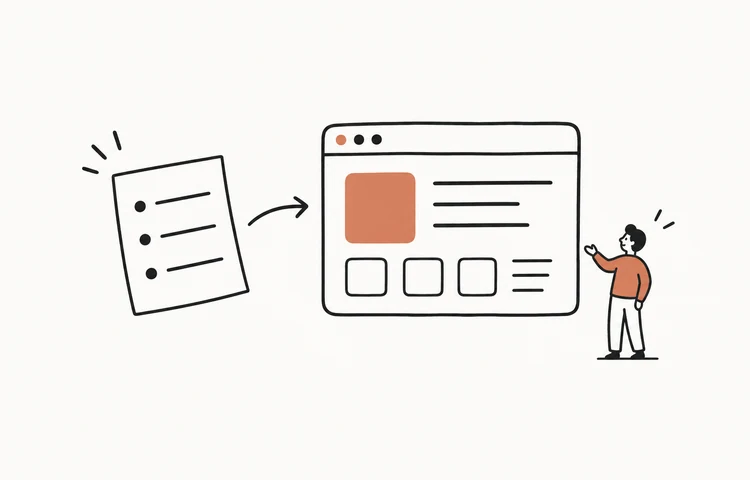
Conversation to web app is the idea that a spoken conversation — a meeting where people talk through what they want — can be turned directly into a working web app, live, instead of being written up as a spec or retyped into prompts afterward. You talk; the app takes shape on screen as you speak, and you walk away with a shareable preview URL during the meeting and a replay that preserves the discussion and visible build sequence.
It's a different loop from the usual AI build tools. Most of them assume one person typing prompts into a box. Conversation-to-app starts from how product ideas actually get figured out — a few people talking it out — and turns that talk itself into the build. This guide covers what it means, how the live build loop works, and what you actually keep at the end.
Product manager AI app builder: from meeting to working prototype
For a product manager, the useful promise is concrete: turn a product meeting into a working prototype the room can click before the context disappears. The PM describes the user, problem, and workflow; design and engineering add constraints; the builder produces a running web app and shared live preview URL. That makes feedback specific — “this state is missing” instead of “the notes feel incomplete” — and gives the team a real artifact to carry into the next decision.
This is not a meeting-notes product. Notes summarize what people said. A conversation-to-app workflow turns what they decided into a working preview, preserving the discussion and build sequence in a replay. See the product-manager AI builder comparison for the tools and trade-offs.
What “conversation to web app” means
The input is natural spoken conversation, not a tidy written brief. There's no prompt syntax to learn and nothing to translate into instructions afterward — the conversation itself is the source of truth. The output is a real, running web app with a live preview URL that updates while you're still talking.
That ordering is the point. In the usual flow, a meeting produces notes, the notes become a spec, the spec becomes tickets, and only much later does anything become something you can actually click. Conversation-to-app collapses that gap: the moment you describe it out loud, it starts to exist, so an idea that lived only in someone's head becomes something the whole room can see and react to.
How the live build loop works
Under the hood it's a real-time pipeline, and each step happens while the conversation keeps going:
- You talk. Open a meeting and just say what you want to build — solo or with your team talking over each other.
- Speech becomes a transcript. Everything said is transcribed live, so the words are the input rather than a prompt you composed.
- The transcript becomes intent + a plan. An orchestrator turns the rambling, half-finished conversation into a structured build intent — what to make, in what order — instead of taking the raw words literally.
- An AI coding agent builds it. The app is written in an isolated sandbox, on top of professional visual templates, so what appears actually looks designed rather than generic.
- A preview URL updates as you speak. A shareable link reflects the latest state sentence by sentence, so everyone is looking at the same thing as it takes shape.
- You correct by talking. If it drifts from what you pictured, you just say so — “make the hero bigger,” “dark theme” — and it fixes it on the spot. No prompt to rewrite, no starting over.
Real example: open the Skycast product-meeting replay. The discussion became a working weather dashboard in about nine minutes across six build rounds, with the real intent, intermediate states, and final app available in one public replay.
What you walk away with
The lasting part isn't a screenshot of a mockup. Each plan adds a clearly bounded result:
- Free: live preview and replay. The room can click the working preview while the meeting is running, then review the conversation and visible build sequence afterward.
- Pro: permanent deploy access. Pro adds access to the permanent preview or deploy link when the team needs a result that remains open after the meeting.
- Max: source download. Max adds the full project source for teams that want to continue locally or hand the implementation to engineering.
Where conversation-to-app fits today
It's most useful when an idea is still fuzzy and more than one person has opinions: a founder and a designer arguing over a landing page, an agency and a client on a kickoff call, a team aligning on what to build before anyone writes a spec. The core value is making the idea tangible fast — turning “I think it should feel like this” into something you can see and click in minutes, then sharpening it cheaply by talking.
A working preview is evidence that the workflow and interface can be reviewed; it is not evidence that the app is production-ready. Accounts, private data, payments, reliability, accessibility, monitoring, and security still need explicit engineering review before real customers depend on it.
Why it beats typing prompts
Prompt-by-prompt building puts one person in front of a text box, distilling a whole conversation into instructions after the fact — and most of the nuance falls out in that translation. Building from the conversation keeps it: every voice in the room contributes, the interface changes in real time so feedback is immediate, and you steer by speaking instead of re-engineering a prompt. If you want to see how that compares across the field, we lined up the best vibe coding tools, and you can read more about building a website or app by talking or try the no-terminal path on our AI app builder page.
The bottom line
Conversation to web app turns the most natural way humans figure things out — talking — into a working product you can see, test, and review. You describe it out loud, watch it appear, and correct it by speaking. Free includes the live preview during the meeting and replay afterward; Pro adds access to the permanent deploy link; Max adds source download. That's what SayCraft is built to do.
Frequently asked questions
What does “conversation to web app” mean?
Conversation to web app is turning a spoken product discussion directly into a working web-app preview while the meeting is still happening, instead of rewriting the discussion as a specification or a series of prompts afterward. The replay keeps the conversation and visible build sequence together for review.
How does a conversation turn into a web app?
Speech is transcribed live, an orchestrator turns the running transcript into a structured intent and build plan, an AI coding agent builds the app in an isolated sandbox, and a shareable preview URL updates as the conversation continues. When something is off, you just say so and it corrects on the spot — no prompt to rewrite.
Do you have to write prompts?
No. You talk the way you would explain an idea to a coworker — no prompt syntax to learn and no prompt engineering. Course-correcting by speaking (“make the header bigger,” “put sign-up on the right”) is the whole loop, and the interface updates live as you talk.
Do you get real code or just a prototype?
SayCraft produces a working web-app preview rather than a static mockup. Free includes the live preview during the meeting and replay afterward; Pro adds access to the permanent deploy link, and Max adds source download. Production readiness still requires explicit review of data, authentication, payments, reliability, and security.
Can a whole team be part of the conversation?
Yes. It is multi-person and real-time: everyone joins from their own browser and talks, and all of their voices feed the same live build, so the whole room shapes the product together and watches the same shareable preview update as they speak.
What is a product manager AI app builder?
It is an AI builder optimized for turning product intent — a user problem, workflow, acceptance criteria, or team discussion — into a working prototype a PM can share and test. The useful output is not meeting notes or a static mockup; it is a running web app with a live preview URL that the team can click and correct together.
Can you turn a product meeting into a prototype?
Yes. SayCraft transcribes a live product meeting, converts the discussion into build intent, and updates the working preview while the team keeps talking. Free preserves the meeting replay; Pro adds access to the permanent deploy link, and Max adds source download.
Can meeting notes become a working prototype?
A recording or discussion contains more useful context than condensed notes, so the strongest workflow is to build from the conversation itself. If notes are all you have, they can still seed the first build, but the team should review the live prototype and correct missing assumptions before treating it as the intended product.