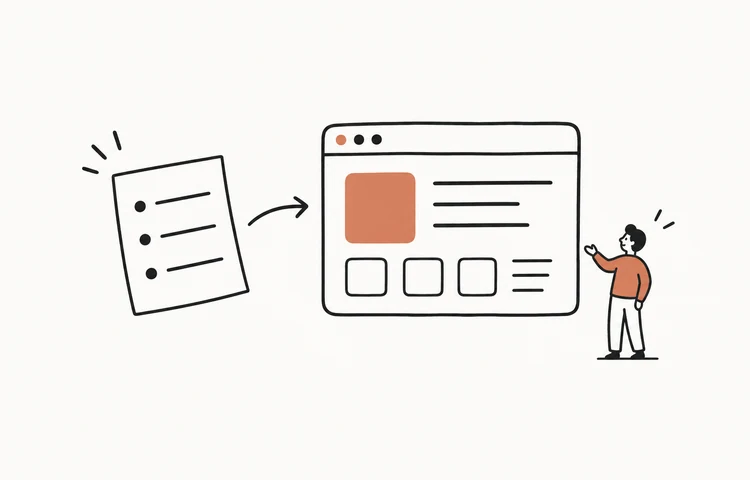
These nine cool website examples show different ways to make a site memorable: Bruno Simon's 3D entrance, Poolsuite's retro desktop, Linear's restrained product preview, and six more. Each example includes a real screenshot, a link to the original, and a design idea you can adapt to your own project.
Start with the kind of site you need. A portfolio can invite exploration; a product page needs to explain an offer; a publication needs to make its stories easy to browse. The most useful creative web pages give you a pattern that fits that job.
Screenshots and design observations: September 16, 2026. These are selected examples, not a ranking. Visit the originals for their current layout and interactive experience.
Choose a website example for your project
- Bruno Simon — Immersive 3D portfolio. An experience that demonstrates your craft.
- Lusion — A showreel with a clear business purpose. Creative studios and visual services.
- Gumroad — Bold typography and playful branding. Creator products and independent brands.
- Linear — Restrained product presentation. Software with an interface worth showing.
- Poolsuite — A consistent retro desktop. Music, cultural projects, and playful communities.
- The Pudding — Visual stories with their own identities. Data stories, explainers, and publications.
- It's Nice That — Magazine hierarchy for creative work. Design publications and image-rich blogs.
- Maggie Appleton — A personal introduction led by type. Writers, researchers, and designer portfolios.
- Stripe — Colorful product branding with clear actions. Product launches and broader business platforms.
1. Bruno Simon: immersive 3d portfolio
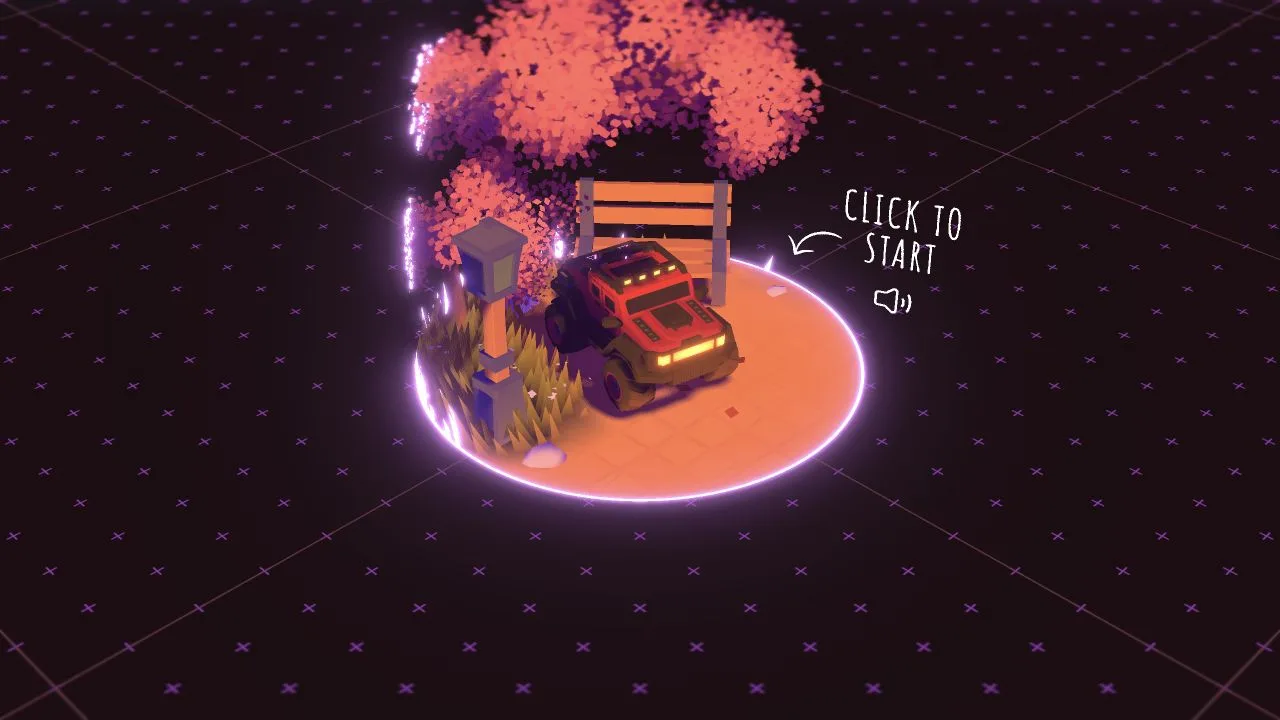
The opening screen puts a red vehicle on a glowing platform against a purple grid. A single handwritten start instruction turns the portfolio entrance into a small scene to explore. The point is immediately visual: this creator works in a medium that can be experienced, not just described.
Design idea to borrow: Make one object the entrance to your work: a model, illustrated map, or project preview. Give it one obvious action and keep the rest of the opening quiet. You can borrow the sense of a place without building an entire game.
When it fits: A strong reference for 3D artists and experimental portfolios. For a service business, put an ordinary route to projects and contact details alongside any immersive experience; visitors may be arriving for a quick answer.
2. Lusion: a showreel with a clear business purpose
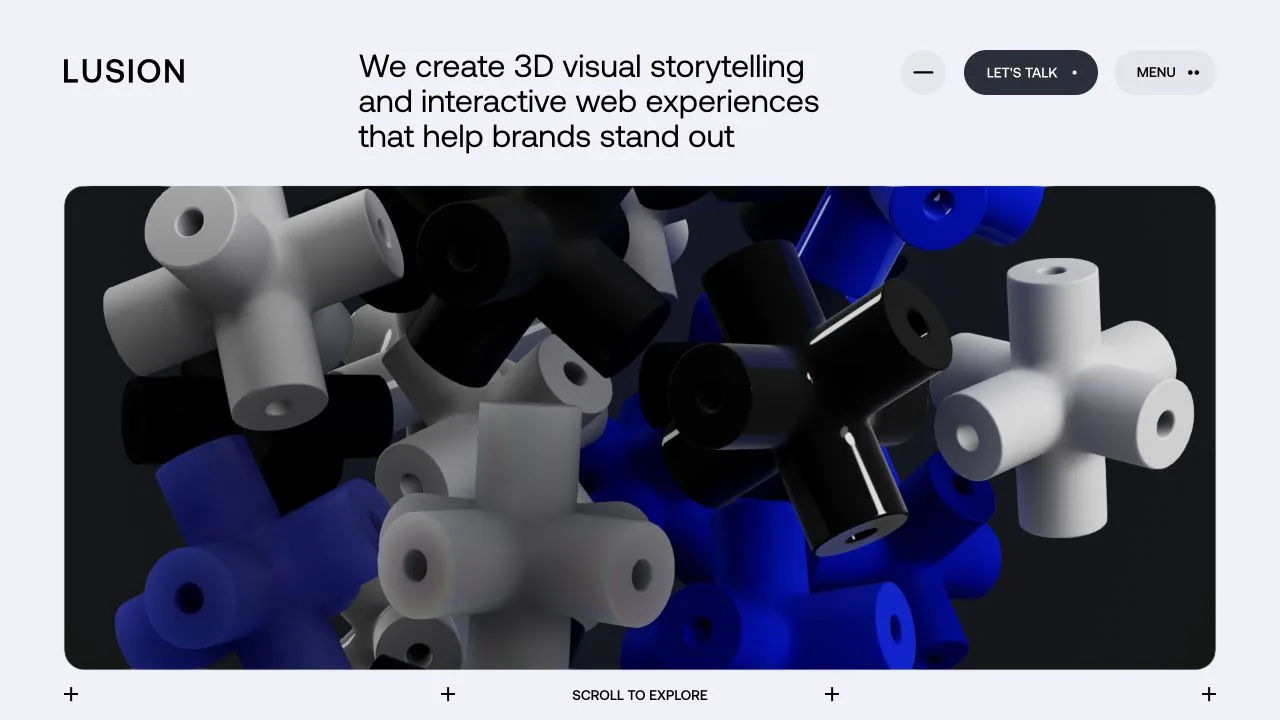
Lusion puts its explanation of what it does above a large frame of sculptural 3D forms. The pale surrounding page leaves room for the blue, black, and white imagery to dominate. A separate contact button stays easy to spot at the top.
Design idea to borrow: Pair your most impressive visual with a plain sentence naming the service. Keep the reel or hero image inside one clearly defined area instead of making every section compete for attention.
When it fits: Useful for an agency, animator, or product visualization studio with strong work to show. Start with a still image if it explains the work just as well; motion should add information rather than conceal a vague offer.
3. Gumroad: bold typography and playful branding
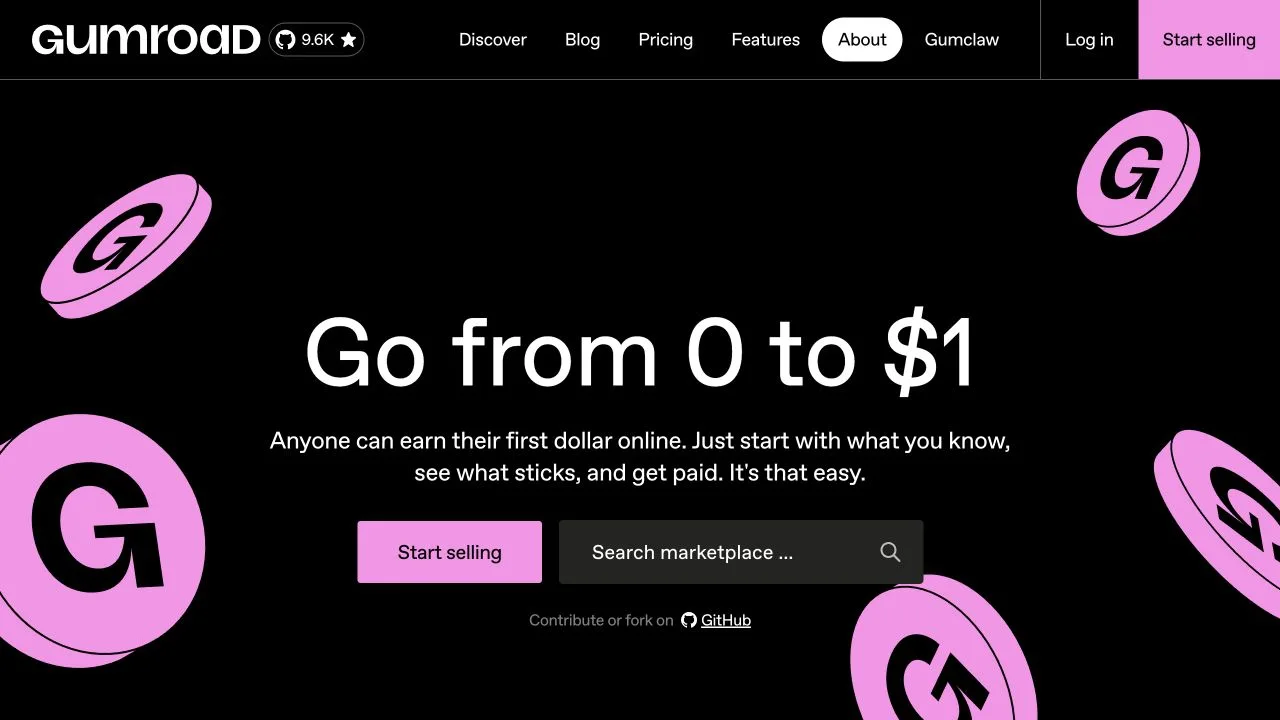
Gumroad's black background, giant centered headline, and pink coin illustrations share a simple visual vocabulary. The selling button uses the same pink as the illustrations, while marketplace search gets its own quieter field. The playful treatment still leaves the two main paths visible.
Design idea to borrow: Choose one accent color and repeat one simple shape. Use the accent for your main action, then give secondary navigation less visual weight. Large type works best when the message is short enough to understand at a glance.
When it fits: A useful bold or brutalist-adjacent reference for a digital shop or indie launch. Bring your own illustration and voice; borrowing the hierarchy is more useful than copying the coin artwork or headline.
4. Linear: restrained product presentation
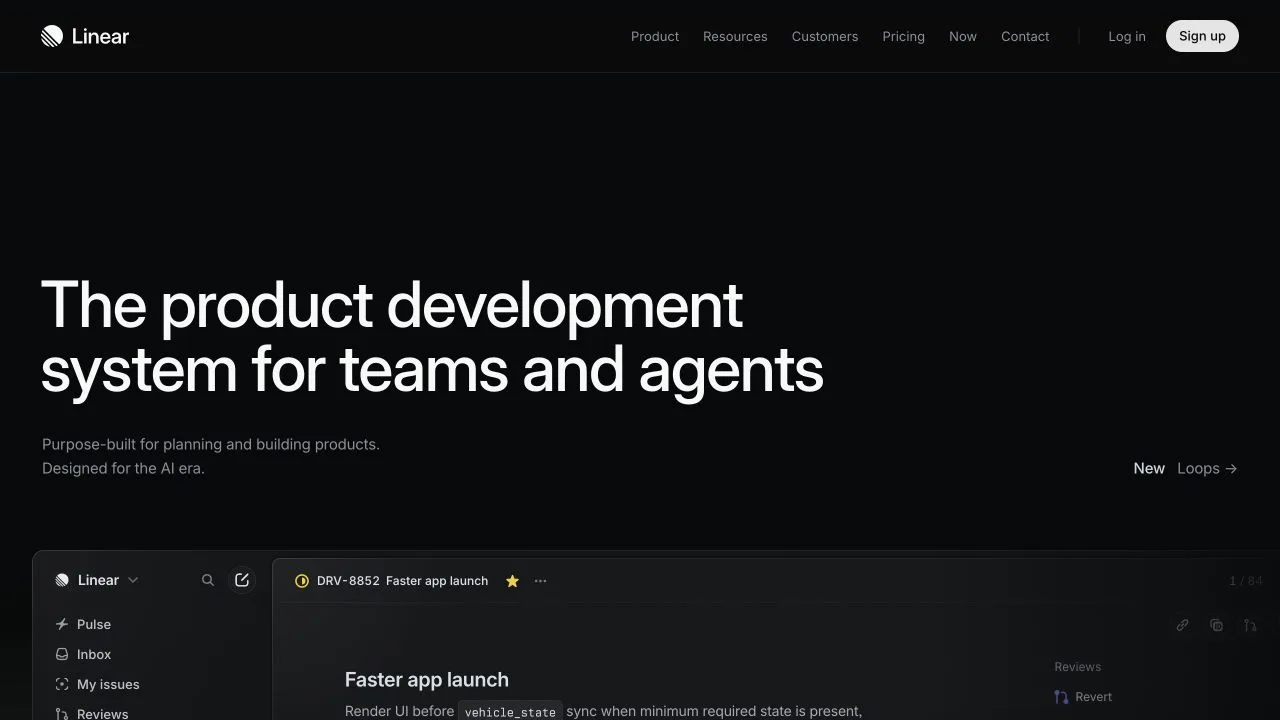
Linear uses a nearly black canvas, a large left-aligned headline, restrained supporting text, and a broad interface preview underneath. Instead of filling the hero with separate badges and cards, it gives the message and the product room to register.
Design idea to borrow: Use one sentence to explain the product, then show the actual screen that delivers on it. Crop the preview around a recognizable task, not a distant dashboard full of unreadable labels.
When it fits: A good starting point for a focused SaaS landing page. Dark colors alone do not create this effect: the spacing, short copy, and selective use of contrast carry the layout. Make your small text readable too.
5. Poolsuite: a consistent retro desktop
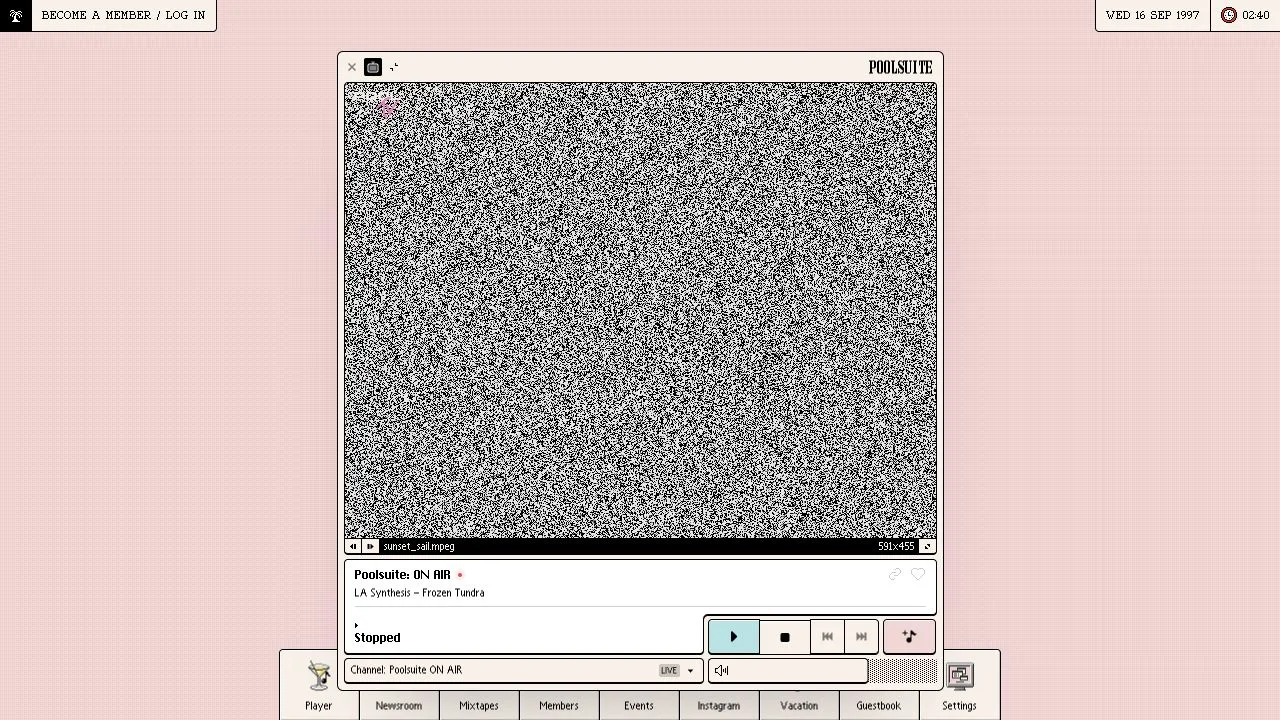
Poolsuite commits to a desktop metaphor: a framed media window, a title bar, compact transport controls, a date display, and a row of app-like destinations along the bottom. The nostalgia comes from the whole interface, not a pixel font placed on an otherwise ordinary landing page.
Design idea to borrow: Pick one era and repeat its interface rules in navigation, buttons, labels, and spacing. A small framed player or window can provide the same cue on a simpler site.
When it fits: A strong retro reference for a music project or community. Keep controls recognizable and make playback a deliberate visitor action. On a phone, prioritize the current task instead of squeezing a whole desktop into a narrow screen.
6. The Pudding: visual stories with their own identities
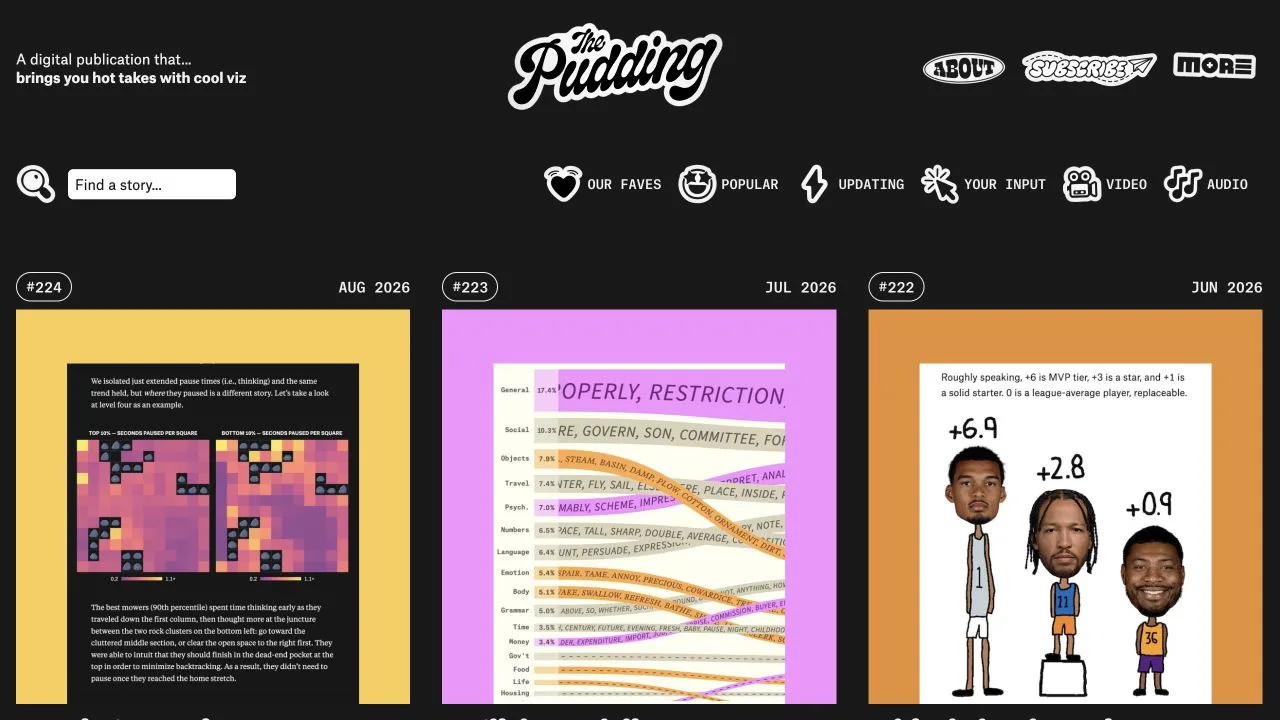
The Pudding's homepage gives each story its own colorful visual, while dates, issue numbers, and a common card structure hold the collection together. A hand-lettered masthead and illustrated navigation add personality without making every story look identical.
Design idea to borrow: Design an image that explains the subject of each story instead of reusing one generic cover. Keep the surrounding title, date, and navigation system consistent so readers can compare very different topics.
When it fits: Use this editorial approach when your content has something concrete to show: a chart, diagram, photograph, or illustration. For an interactive or scrollytelling article, decide what readers should learn at each step before adding animation.
7. It's Nice That: magazine hierarchy for creative work
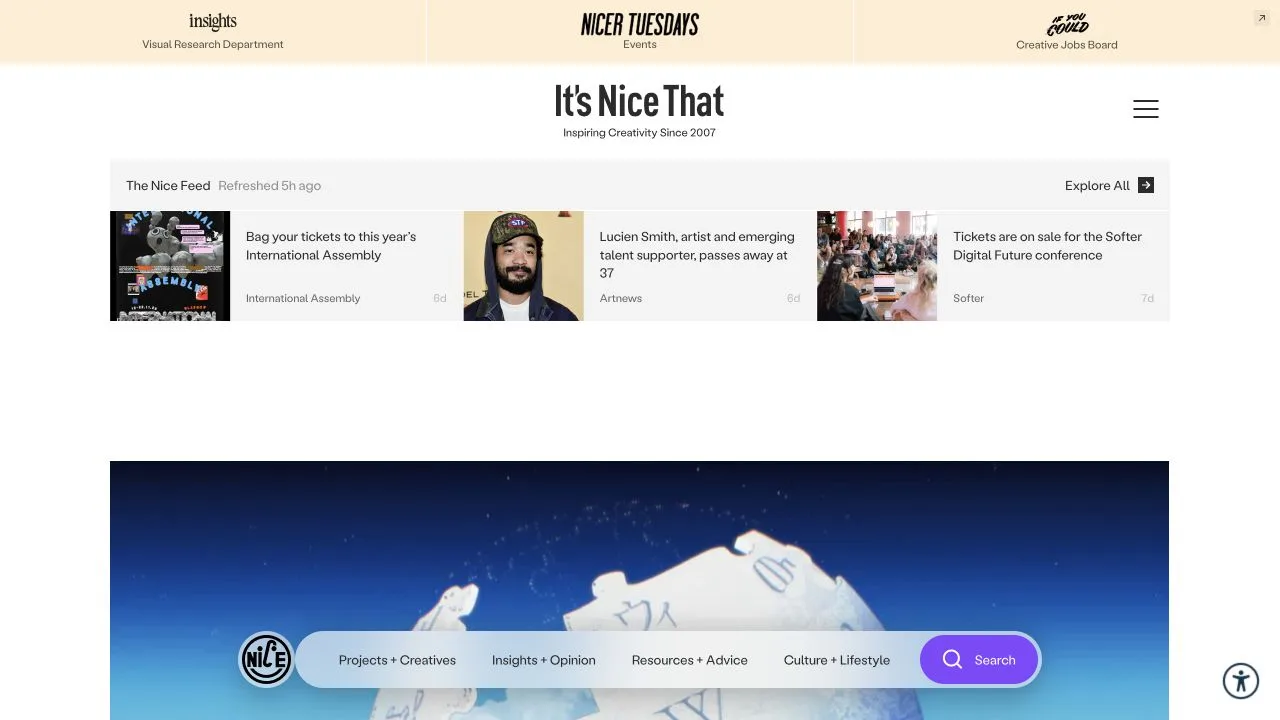
It's Nice That separates a compact feed of smaller updates from a much larger lead image. The masthead is prominent, but the work remains the main visual material. Topic navigation provides another way into the publication besides simply scrolling through the latest items.
Design idea to borrow: Create two levels of emphasis: one lead story with a generous image, then a compact row or list for smaller updates. This is more informative than giving every item an equally large card.
When it fits: Useful for a magazine, visual journal, or busy studio blog. Keep headlines next to their images and avoid letting newsletter overlays interrupt the first encounter with the work.
8. Maggie Appleton: a personal introduction led by type
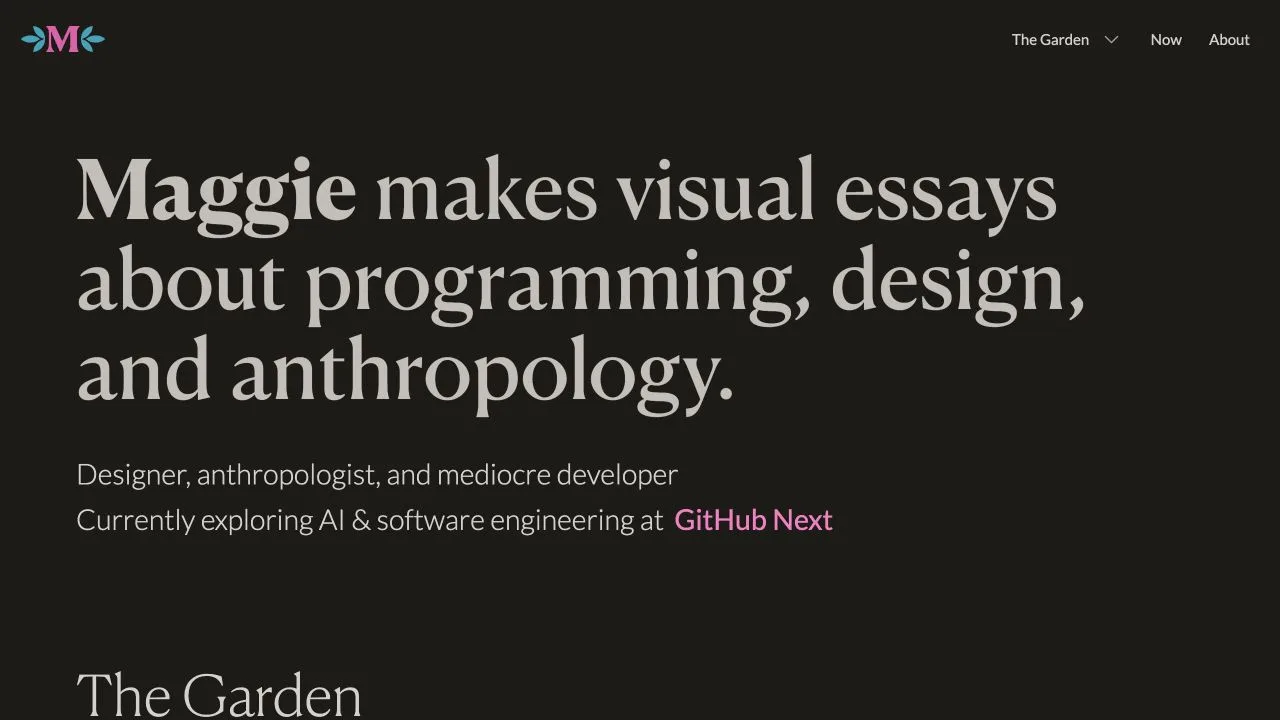
Maggie Appleton's opening leads with a large serif sentence explaining the subjects of her visual essays. A shorter personal introduction follows, with a small amount of color and a compact navigation. The words do the work of introducing the person before the visitor reaches the essay collection.
Design idea to borrow: Write a specific one-sentence introduction: what you make, for whom, or what you investigate. Set that sentence confidently, then offer a small number of useful destinations instead of a wall of biography.
When it fits: A useful minimalist direction when your ideas or writing are the product. Choose a display font that keeps your actual words readable, and test the headline on a narrow screen before settling on its size.
9. Stripe: colorful product branding with clear actions
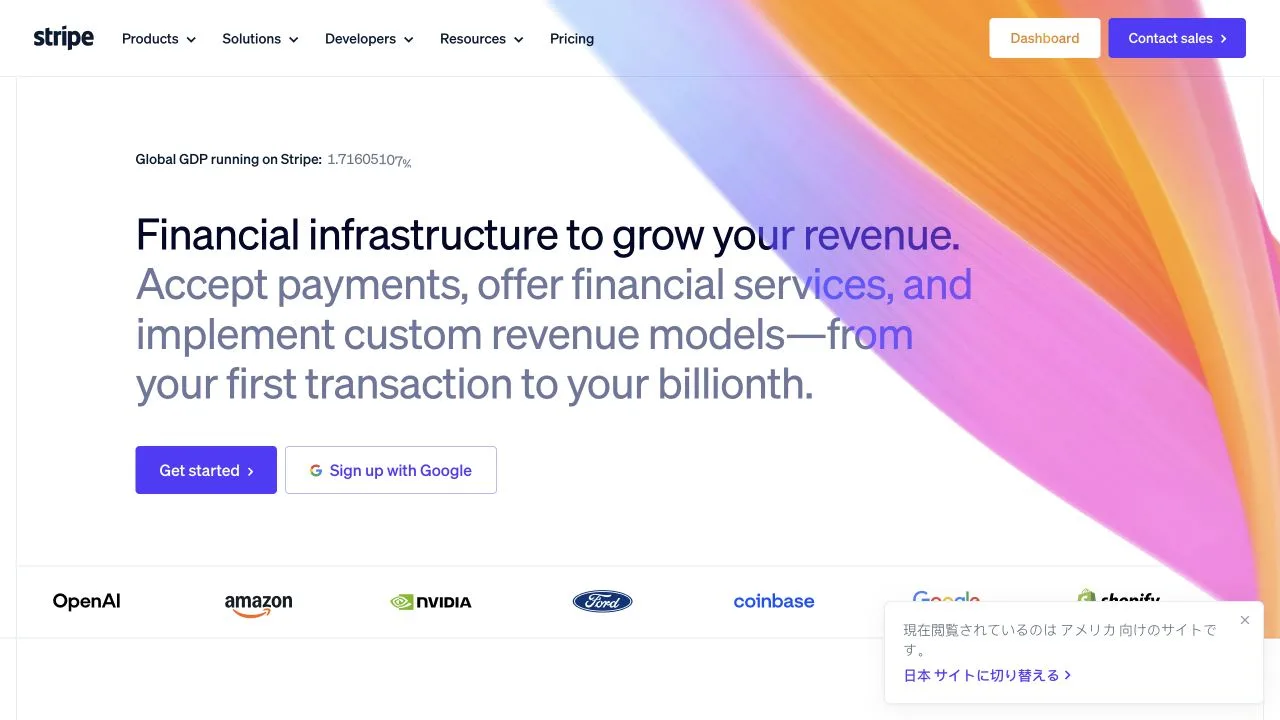
Stripe places a flowing multicolor ribbon behind a mostly white layout. The large product message, purple action button, and customer logo row provide a stable reading order around the colorful visual. The decoration gives the page character without becoming the only thing to look at.
Design idea to borrow: Confine your strongest color or motion to one part of the hero. Keep the headline and primary action on a calm surface, then support the message with your own relevant evidence: a product preview, example output, or genuine customer proof.
When it fits: A useful reference when a broad product needs a memorable first impression. A new project should not imitate a large company's logo wall without equivalent evidence; show what your own product does instead.
Three real creative website examples built with SayCraft
If you want to see how a spoken brief becomes a website, these three existing SayCraft projects include public build replays. They are separate from the third-party inspiration sites above. Open the replay to compare the stated goal with the resulting prototype.
- Neon Atlas — a cyberpunk personal-site brief built around an operator-console look, cyan and magenta accents, and HUD-style panels. Study how a small set of visual rules gives the page a consistent identity.
- Neon Streets — a cinematic street-photography portfolio brief. Compare the atmospheric framing with the space given to the photographs: the work should still be the main event.
- Soundscape — a music-visualizer brief with an audio-reactive visual direction. Use it as a reference for a project where the interaction itself is the experience.
Turn the inspiration into your own website brief
Choose one example for structure and, at most, one more for visual tone. Describe the decision you want to reuse, then supply your own content. For example:
Build a portfolio for an independent ceramic artist. Use a quiet layout with a large, plain-language introduction and three generous project images. I like Linear's clear hierarchy and Maggie Appleton's confident typography, but use my own cream and terracotta palette. Include About, Work, and Contact. On a phone, stack the projects in one column. Keep animation subtle and make the contact link easy to find.
If the purpose is still unclear, start with these website ideas. Then choose a font pairing and a website color scheme that support the same direction. You do not need to borrow every effect from your reference.
Before sharing your version, check it on a phone, follow every important link, and try the main action with a keyboard. Make sure the opening says what the site is for, images do not push the layout sideways, and any form gives a clear result. These checks help the design serve the visitor as well as the mood.
To try the brief without writing the first version yourself, describe it to SayCraft's AI website builder and review the resulting web prototype. Refine one visible detail at a time: the hierarchy, the project layout, or the next action.
Frequently asked questions
What are some cool website examples?
Bruno Simon and Lusion are useful references for immersive 3D; Gumroad for bold color and type; Linear for restrained product presentation; Poolsuite for retro interfaces; The Pudding and It's Nice That for editorial layouts; Maggie Appleton for a personal site; and Stripe for a colorful product homepage.
What makes a creative website stand out?
One recognizable idea carried through the page: a navigable 3D world, a consistent retro interface, a distinctive type scale, or unusually clear presentation of the work. The useful part to borrow is that design decision, while keeping your own content and a clear next action.
How do I use a website example without copying it?
Write down the pattern you like, such as a large project preview below a short headline. Then use your own text, images, brand, and layout details. Do not reuse another site's logos, illustrations, screenshots, or code as your own design assets without permission or an appropriate license.
How can I build a cool website without coding?
Start with the site's purpose, the sections it needs, and one visual reference. Describe the pattern rather than asking for an exact clone. An AI website builder such as SayCraft can turn that brief into a working web prototype; review the result on a phone and check the links and forms before sharing it.