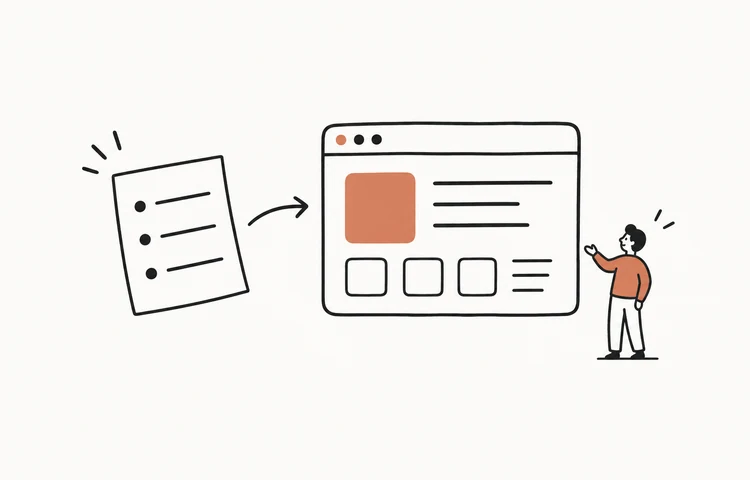
An AI app generator takes a plain-language description and hands back a working app — real code, running, with a URL. Not a template filled in, not a mockup: an application that didn't exist a minute ago. If that still feels like a magic trick, this post is the deck of cards face-up — what actually happens between your sentence and the running app, where it goes wrong, and how to steer it well.
What happens when you ask for an app
Under every generator, the same pipeline runs. Your description goes to a large language model alongside a scaffold of instructions about the target stack — typically a modern web stack (React or similar), because web apps run anywhere and deploy instantly. The model writes actual source files: components for the screens, state for the behavior, styles for the look. The platform then runs that code immediately in a sandbox and shows you the live result. When you ask for a change, the model edits the existing files rather than starting over — that's what makes iteration feel like a conversation rather than a slot machine.
This is vibe coding made into a product: the human supplies intent and judgment, the model supplies implementation. The generators differ on two axes that matter — how you provide intent (a typed prompt box in most; live spoken conversation in SayCraft) and how tight the iteration loop is (per-prompt credits vs continuous building while you talk).
What the generator actually generates
- Screens and layout — the visible app, with the design choices (palette, type, spacing) made for you from the mood you describe.
- Behavior — what buttons do, what gets saved, what happens on submit. This is real application logic, not wired-up dummies.
- Data handling — forms, lists, storage. The better generators wire persistence so your app remembers things between visits.
- The handoff — preview, deployment, source export, and ownership are separate capabilities. Check each one instead of assuming that a running preview includes all four.
Where AI app generators still fail
- Vague intent in, vague app out. “Make me an app for my business” produces a generic dashboard nobody asked for. The fix is specificity about the job: who uses it, for what, what happens first.
- The fifteenth feature. Generators are excellent at focused apps and progressively worse as one app accretes unrelated features. Build the small version; start a fresh build for the next product instead of bolting it on.
- The last 10% of production polish. Edge cases, accessibility details, and performance under real load still reward a human pass — which is why source export matters. Generated code is a starting point you own, not a black box.
How to get good results (three habits)
- Describe the job, not the implementation. “A page where clients book a 30-minute slot and pay a deposit” beats a paragraph about database tables. The model knows how to implement; it needs to know what for.
- Iterate on the running app. Look, react, say one change, look again. Ten small reactions beat one giant prompt — and on a conversational generator this loop runs at the speed you talk.
- Start with the smallest reversible test. Several generators have a free tier (compared in the free AI app builder guide), so test the loop before paying. Then verify which plan includes the permanent deploy link and source export you need.
The bottom line
An AI app generator is the compiler of this decade: a translation layer between human intent and running software. The skill that matters on top of it isn't prompting — it's knowing what to build and reacting honestly to what you see. If you can brief a colleague, you can generate an app. For picking your tool, start with the best vibe coding tools in 2026; for what to build, raid 50 app ideas.
Frequently asked questions
What is an AI app generator?
An AI app generator turns a plain-language description into a working application — real source code (screens, logic, data handling) that runs immediately, not a mockup or template. You describe what the app should do, the AI writes and runs the code, and you refine the live result with further instructions. SayCraft, Bolt.new, v0, Lovable, and Base44 are all generators in this sense; they differ in how you provide the description and how iteration works.
Can an AI app generator make a real, usable app?
Some AI app generators produce genuine source code and a deployable web app, while others limit export or hosting by plan. A running preview proves that one version works in the generator; it does not prove security, reliability, or maintainability. Check preview, deployment, source export, and ownership separately before choosing a tool.
Is there a free AI app generator?
Yes, several have usable free tiers, but the included capabilities differ. SayCraft offers a three-day Pro trial with 2,000 credits and a required payment method, then $4.90/month unless canceled. Max is $19.90/month with source download and no trial. Check the current limits for every tool before relying on an old comparison.
How do I get good results from an AI app generator?
Describe the job, not the implementation; start with the smallest version; and iterate on the running app instead of perfecting the prompt. One clear sentence plus ten reactions to what you see beats a thousand-word specification. And keep each instruction to one change so you can tell what worked.