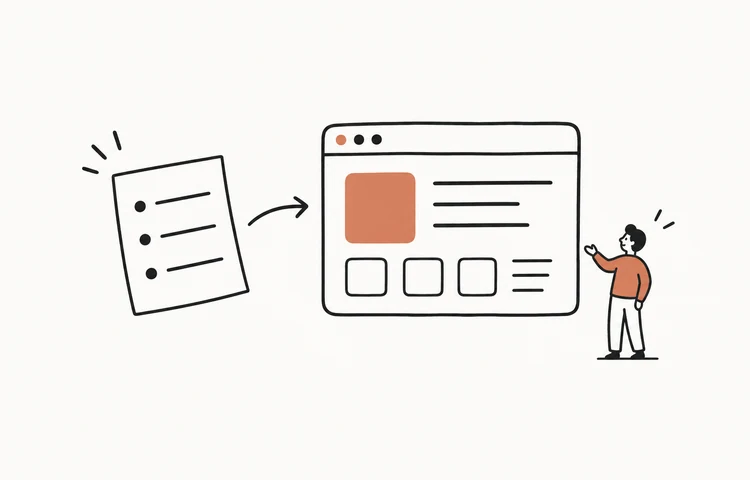
Your Instagram bio gets exactly one link — so the page behind it matters. Here are link-in-bio website ideas for 2026: what to put on the page, layouts by creator type, and how to build a custom one that looks like you instead of another generic Linktree clone. (Spoiler: you can build it by talking, in one sitting.)
What goes on a link-in-bio page
The whole job is answering “what do you want me to do next?” in two seconds.
- One primary action — buy, book, subscribe, or watch. Make it the biggest button.
- A few secondary links — shop, latest video, newsletter, contact.
- A one-line intro + photo — so it feels like you, not a list.
- Fast and mobile-first — almost everyone arrives from a phone.
Link-in-bio ideas by creator type
- Creator / influencer — latest video up top, then shop, newsletter, and brand-deal contact.
- Small business / shop — featured product, full store link, hours/location, reviews.
- Musician — new release with a play button, tour dates, merch, streaming links.
- Coach / freelancer — a booking button first, then services, testimonials, and a free resource.
- Restaurant / café — menu, reservations, location, and today's special.
- Author / writer — latest book or post, newsletter signup, and where to buy.
Copyable link-in-bio layout template
- Identity: photo or logo, display name, and one sentence explaining what visitors will get.
- Primary action: one full-width button for the current launch, booking page, product, or newest work.
- Secondary actions: no more than four links, ordered by value rather than platform.
- Proof: one short testimonial, result, audience number, or recognizable client only when it is verifiable.
- Contact: a direct business inquiry or newsletter action, not a second wall of social icons.
That is the useful “link in bio template”: a hierarchy you can adapt, not a decorative theme. On a phone, the identity and primary action should fit before the first scroll.
What a bad bio page looks like (and the fix)
Most bio pages fail the same three ways. Each has a two-minute fix:
- The wall of equal links. Fifteen identical buttons means no decision gets made. Fix: one big primary button, three to five small ones, everything else cut. If it didn't matter this month, it doesn't belong on the page.
- The stale page. “Link in bio!” pointing at a launch from last autumn quietly tells people you've left. Fix: treat the top slot as disposable — swap it every time you post about something new. A page you can edit in seconds gets edited; one that needs a login and a template editor doesn't.
- The off-brand template. If your feed is warm film photos and your bio page is a neon gradient with someone else's logo at the bottom, the click feels like leaving your world. Fix: same colors, same type feel, your photo — the page should read as one more post in your grid.
Make it fast — bio traffic is 100% mobile
Nearly every visitor arrives from the Instagram in-app browser on a phone, often on cell data, and they bail in a couple of seconds. That has two practical consequences. Keep the page light: a few compressed images, no autoplaying video background, no five-second animation before the buttons appear. And put the primary button in the first screenful — if someone has to scroll to find the thing you wanted them to tap, half of them never will. This is also the honest knock on heavier template builders: every widget you add is another moment of staring at a white screen inside Instagram.
Custom page vs Linktree
A template tool like Linktree is fine to start — the free tier takes minutes, and that's its whole appeal. But a custom page wins on the things that matter as you grow: it matches your brand instead of a generic look, you own it with no platform branding or limits (Linktree's free pages carry its logo, and the branded/analytics features sit on paid plans — checked June 2026), and you can add anything — an email capture, a shop, a booking form, a photo gallery. The old reason to settle for a template was that custom meant hiring a developer. That's no longer true.
How to build your own (no code)
With SayCraft you don't pick a template or write code — you talk. This is vibe coding at its simplest: say “a link-in-bio page, big photo at the top, four buttons to my shop, YouTube, newsletter, and contact, dark and minimal,” and it builds a real, custom page live with a shareable preview URL. Change your mind out loud and it updates. Pro includes live preview, replay, and permanent deploy links. Its three-day trial requires a payment method and renews at $4.90/month unless canceled. Max adds source download for $19.90/month without a trial. For more page concepts see 25 website ideas.
Build your link-in-bio page by talking
Frequently asked questions
What should I put on my Instagram bio website?
Lead with the one action you most want visitors to take — buy, book, subscribe, or watch — then a short list of secondary links (latest content, shop, contact). Keep it to a handful of clear buttons, add a one-line intro and a photo so it feels like you, and make sure it loads fast on a phone. The page behind your bio link should answer 'what do you want me to do next?' in two seconds.
Is a custom link-in-bio site better than Linktree?
For most people Linktree is fine to start, but a custom page wins on three things: it matches your brand instead of a generic template, you own it (no platform branding or limits), and you can add anything — an email signup, a shop, a booking form, a gallery. If you want it to look like your brand rather than everyone else's, a custom site is worth it. AI builders make a custom one as fast as setting up a template.
How do I make a link-in-bio website without coding?
Describe it and let an AI builder make it. With SayCraft you say what you want — 'a link-in-bio page, big photo, four buttons to my shop, YouTube, newsletter, and contact' — and it builds a custom page in a live preview. SayCraft offers a three-day Pro trial with 2,000 credits and a required payment method, then $4.90/month unless canceled. Max is $19.90/month with source download and no trial.
What makes a good Instagram bio link page?
A good bio-link page is fast, mobile-first, on-brand, and ruthless about priority — one clear primary action, not twenty equal links. It loads instantly, looks like you, and updates easily when your 'link in bio' changes (a new launch, a new video). Treat it as a tiny landing page, not a list of everything you've ever made.